

Buying a laptop is still one of those purchases where spending more money doesn’t always mean getting a better experience.
A ₹40,000 laptop can be perfect for a student, while someone working with video editing or demanding software may need to spend considerably more. Then there are gaming laptops, thin-and-light models, business laptops and large-screen machines, all competing for attention.
The problem is that laptop specifications can make the buying process unnecessarily complicated.
You will see processor names, RAM speeds, SSD capacities, display refresh rates, graphics cards and battery claims everywhere. But not every specification matters equally for every user.
The right laptop is the one that matches your work, budget and expectations.
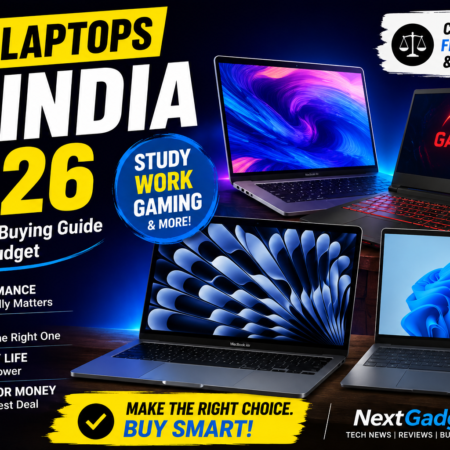
At NextGadgetz, that’s the approach we recommend when choosing a laptop in 2026: start with what you actually need, then choose the hardware.
What Should You Look for in a Laptop?
Before comparing individual models, think about how you will use the laptop.
Are you mainly going to:
- Browse the web?
- Attend online classes?
- Use Microsoft Office or Google Workspace?
- Program?
- Edit photos?
- Edit videos?
- Play games?
- Travel frequently?
- Work from home?
- Use demanding professional software?
These questions matter more than simply asking which laptop has the fastest processor.
A good laptop should offer a sensible balance of performance, display quality, keyboard, battery life, portability, storage and reliability.
Processor: Don’t Choose by Name Alone
The processor is one of the most important components in a laptop, but comparing processors isn’t always straightforward.
Modern laptops use processors from several families, with different performance and efficiency characteristics.
For everyday work, you don’t necessarily need a high-end processor.
Web browsing, documents, presentations, video calls and streaming can be handled comfortably by many modern entry-level and mid-range systems.
You need more performance if your workload includes:
- Video editing
- 3D work
- Software development
- Large spreadsheets
- Virtual machines
- Gaming
- Professional creative applications
What about Intel vs AMD vs Apple?
The brand isn’t the only thing that matters.
Intel and AMD offer processors across a wide range of laptops, while Apple’s chips are used in its own Mac computers.
Instead of buying based on processor branding, look at the specific processor generation, performance class, cooling system and laptop design.
A powerful processor inside a poorly cooled laptop may not maintain its performance for long periods.
RAM: How Much Is Enough?
RAM affects multitasking and how comfortably your laptop handles multiple applications.
For a basic laptop, 8GB may still be enough for light use, but if you’re buying a laptop that you expect to keep for several years, 16GB is a much more comfortable target.
If your work involves:
- Video editing
- Programming
- Large datasets
- Professional applications
- Heavy multitasking
then more RAM can make sense.
Check whether RAM is upgradeable
This is something buyers often overlook.
Some laptops allow RAM upgrades, while others have memory soldered to the motherboard.
An upgradeable laptop can give you more flexibility later.
If you’re buying a machine with 8GB of RAM and there is no upgrade option, think carefully about whether that configuration will remain comfortable for your needs.
SSD Storage: Don’t Buy a Laptop With a Tiny Drive
An SSD is now essential for a responsive laptop experience.
Compared with older mechanical hard drives, SSDs provide much faster boot times, application loading and file access.
For most buyers, 512GB is a sensible starting point.
A 256GB SSD can become restrictive surprisingly quickly after installing Windows, applications, games and personal files.
If you work with large video files, photographs or games, consider 1TB or more.
Don’t look only at capacity
Two SSDs can have the same capacity but different performance.
For normal users, you don’t need to obsess over benchmark numbers, but storage speed, reliability and upgrade options are still worth checking.
Display: One of the Most Important Parts
You look at your laptop display every time you use the machine, yet buyers often focus more on the processor.
That’s a mistake.
A good display should offer:
- Good brightness
- Comfortable viewing
- Suitable resolution
- Good colors
- Useful viewing angles
- Appropriate refresh rate
For office work and general use, a good-quality 1080p-class display can be perfectly adequate.
Creative professionals should pay closer attention to color accuracy.
Gamers may care more about refresh rate and response time.
60Hz vs high-refresh displays
A higher refresh rate can make scrolling and movement look smoother.
It’s especially useful for gaming, but even general users may notice the difference when navigating a modern operating system.
However, don’t sacrifice display quality simply to get a higher refresh rate.
A bright, accurate display at a sensible refresh rate can be more enjoyable than a dim panel with an impressive specification.
Graphics: Do You Actually Need a Dedicated GPU?
This is one of the easiest ways to overspend.
If you’re mainly using:
- Chrome
- Office applications
- Video calls
- Streaming
- Basic photo editing
you may not need a dedicated graphics card.
Modern integrated graphics can handle many everyday workloads surprisingly well.
A dedicated GPU becomes more important for:
- Gaming
- 3D rendering
- Professional video editing
- CAD
- Certain AI workloads
- GPU-accelerated creative applications
Gaming laptops
If gaming is your main priority, don’t buy based solely on the GPU model.
Cooling matters.
The same graphics processor can perform differently depending on the laptop’s power limits and thermal design.
Also consider:
- Display refresh rate
- Keyboard
- Cooling
- Fan noise
- Battery life
- Weight
- Charger size
A gaming laptop is usually a compromise between performance and portability.
Battery Life: Be Realistic About Manufacturer Claims
Laptop battery claims are often based on controlled testing conditions.
Your real-world battery life may be different.
Actual battery life depends on:
- Screen brightness
- Processor workload
- Browser tabs
- Background applications
- Wi-Fi usage
- Video playback
- Battery capacity
- Operating system optimization
If you frequently work away from a charger, battery efficiency should be one of your major priorities.
For someone who mostly works at a desk, battery life may be less important than performance or display quality.
Keyboard and Trackpad Matter More Than You Think
A laptop can have an excellent processor and still be unpleasant to use if the keyboard and trackpad are poor.
If you’re buying a laptop for work or study, pay attention to:
Keyboard
Look for:
- Comfortable key travel
- Good spacing
- Reliable feedback
- Backlighting if useful to you
Trackpad
Check:
- Size
- Accuracy
- Gesture support
- Click quality
These are things you’ll interact with every day.
A slightly slower laptop with an excellent keyboard can be a better productivity machine than a faster laptop with an uncomfortable keyboard.
Build Quality and Portability
Think about where you’ll use your laptop.
If it will stay on a desk most of the time, weight may not matter much.
If you’re a student or frequently travel, it matters a lot.
Look at:
- Weight
- Thickness
- Hinge quality
- Chassis construction
- Charger size
- Port selection
A very thin laptop can be convenient, but sometimes a slightly thicker machine offers better cooling and more ports.
Don’t Forget the Ports
Before buying, check whether the laptop has the connections you actually need.
Depending on your use, you may want:
- USB-A
- USB-C
- HDMI
- Headphone jack
- SD or microSD card slot
- Ethernet
- Display output
If you regularly connect external monitors, storage drives or cameras, ports can make a surprisingly large difference.
Adapters can solve some problems, but having the right ports built in is usually more convenient.
Windows, macOS or ChromeOS?
Your operating system should match your software requirements.
Windows
Windows remains a versatile choice with broad software and hardware compatibility.
It’s particularly useful for gaming, business applications and a wide variety of accessories.
macOS
Mac laptops are attractive to users who prefer Apple’s ecosystem, long battery life on supported models, strong performance and a polished operating system experience.
They’re especially popular among certain creative and professional users.
ChromeOS
Chromebooks can make sense for people whose work primarily happens through a browser and cloud-based services.
They’re often simple and easy to manage, but software compatibility should be checked before buying.
How Much Should You Spend?
There’s no universal perfect laptop budget.
Under ₹40,000
Focus on:
- Reliable processor
- SSD storage
- At least a reasonable amount of RAM
- Good keyboard
- Full HD-class display where possible
Avoid buying a laptop purely because it looks premium if its internal hardware is outdated.
₹40,000–₹60,000
This is a competitive range for students, office users and general-purpose buyers.
You can often find a good balance between performance, display and build quality.
₹60,000–₹1,00,000
This range opens up stronger processors, better displays, improved build quality and entry-level gaming or creative capabilities.
It’s also where buyers should start thinking carefully about long-term value rather than specifications alone.
Above ₹1,00,000
At this price, expectations should be high.
Look for:
- Excellent display
- Strong performance
- Good build quality
- Long battery life
- Premium keyboard and trackpad
- Strong software experience
- Useful ports
- Long-term reliability
Don’t spend this much simply to get a faster processor.
The entire laptop should feel premium.
Common Laptop Buying Mistakes
Buying the most powerful processor
You may never use the extra performance.
Choosing 8GB RAM without checking upgrade options
This can become restrictive over time.
Buying only based on SSD capacity
Storage capacity doesn’t tell you everything about the machine.
Ignoring the display
You’ll regret a poor display every day.
Ignoring weight
A heavy laptop can become annoying if you carry it to college or work every day.
Choosing a gaming laptop for normal office work
Gaming laptops can be powerful, but they are often heavier and less convenient than productivity-focused machines.
Forgetting the charger
Some high-performance laptops have large and heavy power adapters. Consider the entire carrying package.
What Laptop Is Best for You?
The best laptop depends on your priorities.
For students
Look for:
- Good battery life
- Comfortable keyboard
- Reasonable weight
- 16GB RAM if budget allows
- 512GB SSD
For office work
Prioritize:
- Keyboard
- Display
- Battery
- Webcam
- Port selection
- Reliability
For programmers
Consider:
- Processor performance
- RAM
- SSD
- Display
- Keyboard
- Linux/Windows/macOS compatibility with your tools
For creators
Look closely at:
- Processor
- GPU
- RAM
- Color-accurate display
- SSD
- Cooling
For gamers
Prioritize:
- Dedicated GPU
- Cooling
- Display refresh rate
- Processor
- RAM
- SSD
- Upgradeability
Final Verdict
There is no single laptop that deserves to be called the best for everyone.
A student, programmer, office worker, video editor and gamer can have completely different requirements.
That’s why the smartest way to buy a laptop in 2026 is to start with your workload rather than a specification sheet.
If you mostly browse the web and work with documents, spending a huge amount on a gaming laptop doesn’t make sense.
If you’re editing video or playing demanding games, saving money on the processor or graphics card may leave you frustrated later.
And if you plan to keep your laptop for several years, don’t overlook RAM, storage, software support, repairability and build quality.
The best laptop is ultimately the one that gives you the performance you need, the portability you can live with and the features you’ll actually use — without making you pay for hardware that sits idle.
That’s the approach we’ll continue using in NextGadgetz laptop reviews and buying guides.
Frequently Asked Questions
Which laptop is best in India in 2026?
There is no single best laptop for everyone. The right choice depends on whether you need a laptop for study, office work, programming, gaming, content creation or professional workloads.
Is 8GB RAM enough for a laptop?
8GB can be sufficient for light everyday tasks, but 16GB is a more comfortable target for many buyers who want to keep their laptop for several years.
Is 512GB SSD enough?
For general use, 512GB is a good starting point. Gamers and creators who store large files may benefit from 1TB or more.
Do I need a dedicated graphics card?
Not necessarily. Integrated graphics are sufficient for many everyday tasks. A dedicated GPU becomes more useful for gaming, 3D work, professional editing and other graphics-heavy workloads.
Is a gaming laptop good for office work?
It can be, but gaming laptops are often heavier, louder and less portable than productivity-focused laptops. If you don’t need gaming performance, a lighter laptop may be a better choice.
How much should I spend on a laptop?
Your budget should depend on your workload. For many general users, the mid-range market offers a strong balance between price and performance, while creators and gamers may need to spend more.
Should I buy Intel or AMD?
Don’t choose solely based on brand. Compare the specific processor, laptop design, cooling, battery efficiency and overall price.
How long should a laptop last?
A good laptop can remain useful for several years, but longevity depends on hardware, software support, battery health, build quality and how demanding your workload is.
NextGadgetz Recommendation
Before buying any laptop, write down three things:
What will I use it for?
How long do I want to keep it?
What is my maximum budget?
Once those three questions are answered, most of the unnecessary specifications become much easier to ignore.
And that’s exactly what a good buying guide should do — make the decision simpler, not more confusing.



No Comment! Be the first one.