

Last Updated: September 17, 2026
When buying a smartphone, most people compare the processor, camera, RAM, storage and battery.
But there is one component you interact with almost every minute you use the phone:
the display.
Whether you are watching YouTube, reading WhatsApp messages, playing games, browsing Instagram, editing photos or simply checking the time, the screen determines a large part of your daily experience.
This is why smartphone manufacturers often highlight display technologies such as:
- AMOLED
- OLED
- Super AMOLED
- P-OLED
- LTPO AMOLED
- IPS LCD
- 120Hz
- 144Hz
- HDR
- HDR10+
But what do these terms actually mean?
Is AMOLED always better than LCD?
Does a 120Hz AMOLED automatically beat a 90Hz LCD?
Does AMOLED save battery?
What is LTPO?
And should you worry about burn-in?
This guide explains the differences in simple terms and shows what Indian smartphone buyers should actually check before choosing a display in 2026.
Important: Display quality depends on the specific panel and phone implementation. The words “AMOLED” and “LCD” alone are not enough to determine which phone has the better screen.
AMOLED vs LCD: Quick Comparison
| Feature | AMOLED/OLED | LCD |
|---|---|---|
| How pixels produce light | Individual pixels emit light | Uses a backlight |
| Black levels | Very deep / effectively black | Usually darker grey rather than true black |
| Contrast | Generally very high | Generally lower |
| Viewing angles | Generally excellent | Depends on panel quality |
| Thickness | Can be very thin | Usually requires additional backlight layers |
| Dark-mode efficiency | Can be excellent | Dark mode does not switch off individual pixels |
| Burn-in possibility | Possible | Not the same OLED burn-in mechanism |
| Cost | Usually higher | Usually cheaper |
| High refresh rate | Common | Also possible |
| HDR experience | Often excellent on capable panels | Depends heavily on panel |
| Budget availability | Increasingly common | Very common |
| Always-On Display | Well suited | Less efficient |
The important point is that neither technology automatically guarantees a good display.
A high-quality LCD can be better than a poor AMOLED panel in some areas, particularly brightness, colour tuning or low-brightness comfort.
What Is an LCD Display?
LCD stands for Liquid Crystal Display.
LCD panels do not generate their own light.
Instead, they use a backlight behind the liquid-crystal layer.
The liquid crystals control how much light passes through each pixel, while colour filters create the final image.
A simplified LCD structure looks like this:
Backlight → Liquid Crystal Layer → Colour Filters → Your Eyes
Because the backlight is always illuminating the panel, an LCD cannot completely turn individual pixels off in the same way an OLED display can.
That is why black areas on LCD screens can sometimes appear slightly grey, particularly when viewed in a dark room.
What Is IPS LCD?
IPS stands for In-Plane Switching.
IPS is a type of LCD technology designed to provide better viewing angles and colour performance than older LCD technologies.
IPS LCD has been widely used in smartphones, laptops, monitors and tablets.
A good IPS LCD can still provide:
- Sharp images
- Good colours
- High refresh rates
- Strong brightness
- Good outdoor visibility
- Reliable everyday performance
This is why LCD should not automatically be considered an inferior technology.
The actual quality of the panel matters.
What Is OLED?
OLED stands for Organic Light-Emitting Diode.
Unlike LCD, OLED pixels generate their own light.
That means each pixel can be controlled independently.
When a pixel needs to display black, it can be switched off.
This produces extremely deep blacks and very high contrast.
A simplified OLED structure is:
Individual self-emitting pixels → Your Eyes
There is no traditional backlight illuminating the entire screen.
What Is AMOLED?
AMOLED stands for:
Active Matrix Organic Light-Emitting Diode
AMOLED is essentially an OLED display using an active-matrix system to control the pixels.
This technology is widely used in modern smartphones.
You may see different names from manufacturers, including:
- Super AMOLED
- Dynamic AMOLED
- Fluid AMOLED
- P-OLED
- LTPO AMOLED
These names can describe different implementations, materials, backplanes, refresh-rate technologies or manufacturer-specific branding.
Therefore, don’t assume that every AMOLED display is identical.
AMOLED vs OLED: Are They Different?
This confuses many buyers.
The simplest explanation is:
AMOLED is a type of OLED display technology.
OLED describes the broader self-emissive display technology.
AMOLED uses an active matrix to control the pixels.
For smartphone buyers, you generally don’t need to worry too much about the terminology.
Instead, look at the actual specifications:
- Brightness
- Resolution
- Refresh rate
- Colour accuracy
- HDR support
- PWM/dimming characteristics
- Screen protection
- Adaptive refresh rate
These are often more useful when comparing two phones.
AMOLED vs LCD: Black Levels
This is one of the biggest differences.
An AMOLED pixel can turn itself off.
An LCD panel has a backlight that continues operating behind the screen.
Therefore, AMOLED can produce much deeper blacks.
For example, when watching a movie with a dark scene:
AMOLED
Black areas can become extremely dark because those pixels are switched off.
LCD
The backlight remains active, so some light can still pass through the panel.
The result can look more like dark grey.
This difference is especially noticeable in a dark room.
AMOLED vs LCD: Contrast
Contrast describes the difference between the darkest and brightest portions of an image.
Because AMOLED can turn pixels completely off, OLED/AMOLED displays can achieve extremely high contrast.
This can make:
- Movies look more cinematic
- Photos appear more vivid
- Dark scenes look deeper
- Games look more immersive
LCD displays can still provide excellent contrast, particularly high-quality modern panels, but they generally cannot match the pixel-level black control of OLED.
AMOLED vs LCD: Colours
This is more complicated than simply saying one is better.
AMOLED displays are often associated with:
- Vibrant colours
- High contrast
- Saturated appearance
But manufacturers can tune displays differently.
A phone may provide different colour profiles such as:
- Vivid
- Natural
- Standard
- Professional
A properly calibrated AMOLED panel can provide accurate colours, while a poorly tuned AMOLED can look excessively saturated.
Likewise, a good IPS LCD can have excellent colour accuracy.
Therefore:
Panel technology does not equal colour accuracy.
Always consider the specific phone’s display tuning.
AMOLED vs LCD: Brightness
Brightness is one of the specifications buyers should pay close attention to.
Manufacturers often advertise very high peak brightness figures.
But peak brightness does not necessarily mean the phone stays at that brightness across the entire screen during normal use.
This is important when using a phone outdoors in strong Indian sunlight.
When comparing displays, look for information about:
- Typical brightness
- High Brightness Mode
- Peak brightness
- Outdoor visibility
A phone with a lower advertised peak number can sometimes have a better real-world experience depending on how its brightness system works.
Why Peak Brightness Can Be Misleading
Suppose Phone A advertises:
4,500 nits peak brightness
and Phone B advertises:
2,500 nits peak brightness.
It would be tempting to immediately assume Phone A is twice as bright.
But peak brightness may be measured under specific conditions, often involving a small portion of the display and particular HDR content.
What matters for everyday use is how the display behaves when you are actually:
- Reading a website
- Using Google Maps
- Messaging
- Watching a video
- Taking photos outdoors
Therefore, don’t buy a phone based solely on the largest “nits” number.
AMOLED vs LCD for Outdoor Use
This is one area where old smartphone advice can become misleading.
Older LCD displays often had advantages in sustained brightness.
Modern OLED/AMOLED displays have improved significantly, including much higher brightness on many mid-range and premium phones.
But the important lesson remains:
Check the specific phone’s brightness rather than assuming AMOLED or LCD will always be better outdoors.
For someone who frequently works outside, outdoor readability should be a major part of the buying decision.
AMOLED vs LCD: Battery Life
This topic needs some explanation.
AMOLED can be very efficient when displaying dark content.
Why?
Because black pixels can switch off.
If a large portion of the display is black, fewer pixels are producing light.
This can reduce power consumption.
However, AMOLED is not automatically more power efficient in every situation.
Displaying a bright white screen can require substantial power.
LCD uses a backlight regardless of whether the screen displays black or white.
Therefore, actual battery consumption depends on:
- Brightness
- Refresh rate
- Content
- Screen size
- Resolution
- Panel efficiency
- Processor
- Software
- Usage pattern
So:
AMOLED + dark mode can help battery life, but AMOLED does not guarantee longer battery life.
Does Dark Mode Save Battery?
On AMOLED/OLED screens, dark mode can reduce power consumption because black pixels can be switched off.
The effect depends on:
- How much of the interface is actually black
- Brightness level
- App design
- Display technology
- Screen refresh behaviour
On an LCD phone, dark mode can still make the interface more comfortable to view, but it does not provide the same pixel-level power-saving mechanism.
What Is LTPO AMOLED?
You may have seen the term:
LTPO AMOLED
on premium smartphones.
LTPO stands for Low-Temperature Polycrystalline Oxide.
The important thing for buyers is that LTPO can enable a display to dynamically change its refresh rate over a wide range.
For example, a compatible display may switch between low refresh rates for static content and higher refresh rates when you scroll or interact with supported content.
This can improve power efficiency.
Why Variable Refresh Rate Matters
Imagine reading an article.
The screen is mostly static.
Running at 120Hz continuously may provide little benefit while the page is not moving.
An adaptive display can reduce its refresh rate.
When you start scrolling, it can increase the refresh rate.
This allows the phone to balance:
smoothness + battery efficiency
more intelligently.
60Hz vs 90Hz vs 120Hz vs 144Hz
Refresh rate is measured in hertz, or Hz.
A 60Hz display refreshes up to 60 times per second.
A 120Hz display can refresh up to 120 times per second.
60Hz
Suitable for:
- Basic calling
- Messaging
- Simple browsing
90Hz
Provides a noticeably smoother experience than 60Hz.
120Hz
Now common in mid-range and premium smartphones.
Useful for:
- Scrolling
- Gaming
- Animations
- General everyday use
144Hz
Can provide additional smoothness in supported scenarios.
However, the difference between 120Hz and 144Hz is much smaller than the jump from 60Hz to 120Hz.
Therefore:
Don’t sacrifice a better processor, battery or display quality just to get 144Hz instead of 120Hz.
AMOLED vs LCD for Gaming
Gaming involves several display characteristics.
Gamers should check:
- Refresh rate
- Touch response
- Resolution
- Brightness
- HDR
- Response characteristics
- Processor performance
AMOLED can provide excellent contrast and fast visual response.
However, a good LCD with high refresh rate can also be perfectly suitable for gaming.
For competitive gamers, touch response and sustained device performance can matter more than whether the panel is AMOLED or LCD.
AMOLED vs LCD for Watching Movies
AMOLED generally has an advantage for movie watching because of:
- Deep blacks
- High contrast
- Strong colour reproduction
- Excellent viewing angles
Dark movie scenes can look particularly impressive.
This is one reason OLED displays are popular on premium smartphones and televisions.
If you regularly watch:
- Netflix
- YouTube
- Prime Video
- Disney+ Hotstar
- JioHotstar
- Cricket
- Movies
display quality should be one of your priorities.
AMOLED vs LCD for Reading
Reading is slightly more complicated.
Many people enjoy AMOLED because of its strong contrast and sharp text.
However, some users are sensitive to the way certain OLED displays control brightness.
This is commonly associated with PWM dimming.
What Is PWM Dimming?
PWM stands for Pulse Width Modulation.
Some OLED/AMOLED displays use rapid changes in the brightness of the pixels to control perceived brightness.
The frequency can be high enough that most people don’t consciously see the flicker.
However, some people may be sensitive to particular display implementations and experience discomfort during prolonged use.
This does not mean AMOLED displays are inherently harmful to everyone.
It means display dimming behaviour can be another specification worth considering if you know you are sensitive to certain screens.
What Should You Check If You Are Sensitive to Display Flicker?
If you have previously experienced discomfort with certain smartphone screens, look for information about:
- PWM frequency
- DC dimming
- High-frequency PWM
- Minimum brightness behaviour
It is also useful to physically view the phone before purchasing when possible.
Do not assume that every AMOLED panel behaves identically.
What Is AMOLED Burn-In?
Burn-in refers to permanent or semi-permanent uneven wear of OLED pixels.
It can occur when the same static elements remain in the same position for very long periods.
Examples might include:
- Navigation elements
- Status-bar icons
- Static logos
- Fixed interface elements
Modern smartphones use various software and display-management techniques to reduce this risk.
For normal smartphone use, burn-in is not something most buyers need to obsess over.
However, OLED technology does have a different long-term ageing behaviour from LCD.
Does LCD Have Burn-In?
LCD does not have the same OLED burn-in mechanism.
LCD panels can still experience issues such as:
- Image retention in some circumstances
- Backlight ageing
- Dead pixels
- Backlight bleed
But permanent OLED-style pixel wear is not the same concern.
This can be one reason some users prefer LCD for devices expected to display static information continuously.
Is AMOLED More Fragile Than LCD?
The answer depends on the specific implementation.
Modern smartphone screens are usually protected by hardened cover glass or other protective materials.
Display durability depends on:
- Cover glass
- Panel construction
- Phone frame
- Curved vs flat design
- Screen protection
- Drop impact
- Case quality
Therefore, don’t assume that AMOLED automatically means a fragile screen.
Flat AMOLED vs Curved AMOLED
Another consideration is screen shape.
Flat display
Advantages:
- Easier screen protectors
- Fewer accidental edge touches
- Simpler repairs in some cases
- More predictable touch interaction
Curved display
Advantages:
- Premium appearance
- Narrower-looking bezels
- Immersive visual design
Potential disadvantages:
- More exposed edges
- Screen protector choices can be more complicated
- Accidental touches may occur depending on the phone
For practical everyday use, flat displays are often simpler.
Resolution: Full HD+ vs 1.5K vs 2K
Display technology is only one part of image quality.
Resolution also matters.
Full HD+
Common in many smartphones.
Provides good sharpness for everyday use.
1.5K
Offers higher pixel density while generally requiring less power than a full 2K-class panel.
2K / QHD+
Provides very high detail but can consume more power and may be unnecessary for some users.
For most smartphones, Full HD+ and 1.5K can already look extremely sharp.
Don’t automatically pay more for higher resolution if the other display characteristics are weaker.
HDR: What Does It Mean?
HDR stands for High Dynamic Range.
HDR-compatible content can provide:
- Brighter highlights
- Deeper shadows
- Greater contrast
- More detail in certain scenes
- Wider colour reproduction
But a phone being “HDR compatible” does not automatically mean it provides an excellent HDR experience.
The actual panel brightness, contrast and colour capabilities matter.
Therefore, look at the complete display specification.
What Is Always-On Display?
Always-On Display, or AOD, allows certain information to remain visible even when the main interface is off.
For example:
- Time
- Date
- Notifications
- Battery level
OLED/AMOLED displays are particularly suited to this because individual pixels can remain off while only selected pixels illuminate.
On LCD, maintaining a visible always-on image generally requires the backlight to remain active, making it less practical from a power perspective.
Which Is Better: AMOLED or LCD?
There is no universal answer for every budget.
A useful way to think about it is:
Choose AMOLED/OLED if you prioritise:
- Deep blacks
- High contrast
- Movies
- Gaming
- Premium visual quality
- Dark mode
- Always-On Display
- Thin phone designs
Consider LCD if you prioritise:
- Lower phone price
- Reliable everyday display quality
- Avoiding OLED burn-in concerns
- A particular LCD panel with excellent brightness
- A budget phone where LCD helps keep the overall price low
AMOLED Does Not Automatically Mean Better
This is one of the most important lessons.
Consider two phones:
Phone A
- AMOLED
- 60Hz
- Lower brightness
- Poor colour calibration
- Basic panel
Phone B
- IPS LCD
- 120Hz
- Excellent brightness
- Good colour accuracy
- Better outdoor visibility
It would be incorrect to say Phone A is automatically better simply because it has AMOLED.
The correct approach is to compare the complete display specification.
The 8 Display Specifications You Should Check
Before buying a smartphone, look at these eight things.
1. Panel technology
AMOLED, OLED, IPS LCD, etc.
2. Refresh rate
90Hz, 120Hz, 144Hz, etc.
3. Brightness
Look beyond the headline peak number.
4. Resolution
Full HD+, 1.5K, QHD+, etc.
5. HDR
Check supported HDR standards and actual display capabilities.
6. Colour accuracy
Especially important for photographers and creators.
7. Dimming behaviour
PWM or other brightness-control characteristics.
8. Protection
Check the type of screen protection and whether the phone uses a flat or curved panel.
Best Display Type for Different Users
For Movie Lovers
AMOLED/OLED is generally an excellent choice because of its contrast and black levels.
For Gamers
Look for:
- 120Hz or higher
- Good touch response
- High brightness
- Fast response characteristics
The panel type is only one part of the equation.
For Outdoor Users
Prioritise actual brightness and readability rather than simply choosing AMOLED or LCD.
For Students
A good 90Hz or 120Hz display with comfortable brightness and good text sharpness can be more important than premium display branding.
For Content Creators
Look for:
- Colour accuracy
- Resolution
- Brightness
- HDR
- Consistent colour profile
For Budget Buyers
A good IPS LCD can still be an excellent choice if the phone offers strong brightness, resolution and refresh rate.
Common Display Buying Mistakes
Mistake 1: Choosing based only on AMOLED
AMOLED is not a guarantee of a high-quality panel.
Mistake 2: Looking only at peak brightness
Peak brightness doesn’t tell the complete outdoor story.
Mistake 3: Assuming 144Hz is always better than 120Hz
The difference is relatively small for many users.
Mistake 4: Ignoring PWM
If you are sensitive to flicker, check the display’s dimming behaviour.
Mistake 5: Paying for 2K when you don’t need it
Higher resolution isn’t always worth the additional power consumption or price.
Mistake 6: Ignoring screen protection
A great display can still be damaged by a serious drop.
Mistake 7: Assuming dark mode always doubles battery life
AMOLED can save power with dark content, but the actual saving varies significantly.
AMOLED vs LCD: Simple Decision Guide
Use this quick guide when buying your next phone.
Under ₹10,000
A quality IPS LCD can provide excellent value.
Don’t reject a phone simply because it doesn’t have AMOLED.
₹10,000–₹20,000
AMOLED becomes increasingly common.
Compare the actual brightness, refresh rate and panel quality rather than choosing solely based on the AMOLED label.
₹20,000–₹35,000
AMOLED/OLED displays are widely available.
At this price, pay attention to brightness, HDR, resolution, colour accuracy and adaptive refresh rate.
Premium Segment
Look for advanced OLED/AMOLED technologies such as:
- LTPO
- High refresh rates
- High brightness
- Advanced HDR
- Better colour calibration
Frequently Asked Questions
Is AMOLED better than LCD?
AMOLED generally provides deeper blacks, stronger contrast and excellent viewing quality, but a good LCD can outperform a poor AMOLED panel in specific areas such as brightness or colour tuning.
Does AMOLED save battery?
It can, particularly when displaying dark content, because black pixels can switch off. Actual battery consumption depends on brightness, refresh rate, content and the phone’s hardware.
Is AMOLED good for gaming?
Yes. AMOLED can provide excellent contrast and visual quality, especially when combined with a high refresh rate.
However, gaming performance also depends on touch response, processor, GPU and thermal management.
Is LCD bad for smartphones?
No.
A good IPS LCD can provide excellent brightness, colours, sharpness and smoothness, particularly on budget and mid-range phones.
Can AMOLED burn in?
Yes, OLED/AMOLED panels can experience burn-in or uneven pixel wear after prolonged use of static elements. Modern phones use various measures to reduce the risk.
Is 120Hz AMOLED better than 60Hz AMOLED?
For most users, 120Hz provides a noticeably smoother experience.
However, it can consume more power depending on how the phone manages refresh rate.
Is 144Hz better than 120Hz?
Technically, a 144Hz panel can refresh more frequently, but the practical difference is relatively small for most smartphone users.
Processor performance, touch response, brightness and panel quality may matter more.
What is LTPO AMOLED?
LTPO is a display backplane technology that enables more flexible refresh-rate control.
It can allow a compatible OLED display to reduce refresh rate for static content and increase it when needed.
Which display is best for Netflix and movies?
A high-quality AMOLED/OLED display is generally excellent for movies because of its deep blacks and high contrast.
Which display is best for outdoor use?
Don’t choose solely based on AMOLED versus LCD.
Look at the phone’s actual brightness and outdoor readability.
Final Buying Advice
The smartphone display is one of the components where you should look beyond marketing terminology.
AMOLED is not simply “better.”
It offers important advantages:
- Deep blacks
- Excellent contrast
- Strong viewing experience
- Pixel-level light control
- Great support for dark mode
- Thin panel designs
- Excellent potential for HDR
LCD also remains relevant because it can offer:
- Lower manufacturing cost
- Good brightness
- Reliable everyday performance
- Excellent value in budget smartphones
- No OLED-style burn-in mechanism
For most buyers who want a premium smartphone experience, a good-quality AMOLED/OLED display with 90Hz or 120Hz refresh rate is an attractive combination.
But don’t stop at the word AMOLED.
Before buying, check:
Brightness + refresh rate + resolution + colour accuracy + HDR + dimming behaviour + screen protection.
That is the difference between buying a phone because of a specification label and actually choosing a display that suits your needs.
Research & Editorial Note
This article is a research-based educational guide prepared using publicly available information about smartphone display technologies.
Display quality varies considerably between individual smartphone models. Manufacturer specifications may use different testing methods, especially for brightness and refresh-rate measurements.
NextGadgetz has not claimed hands-on testing of every display discussed in this article.
Readers should check the complete specification sheet and, where possible, physically view a phone before purchasing.
Suggested Category:
Mobile Guides
Suggested Tags:
AMOLED, LCD, OLED, Smartphone Display, LTPO, 120Hz, 144Hz, HDR, Mobile Buying Guide, Smartphone Tips
Featured Image Text:
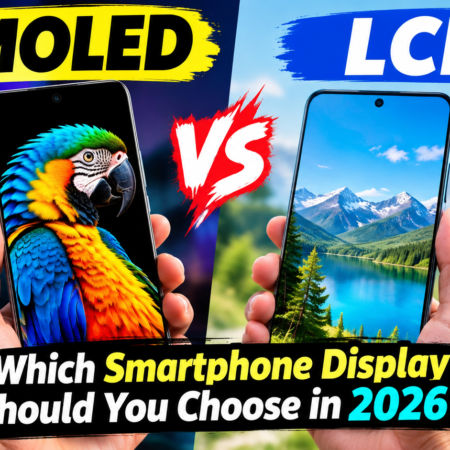
AMOLED vs LCD
WHICH DISPLAY IS BETTER?
SMARTPHONE DISPLAY GUIDE 2026


No Comment! Be the first one.