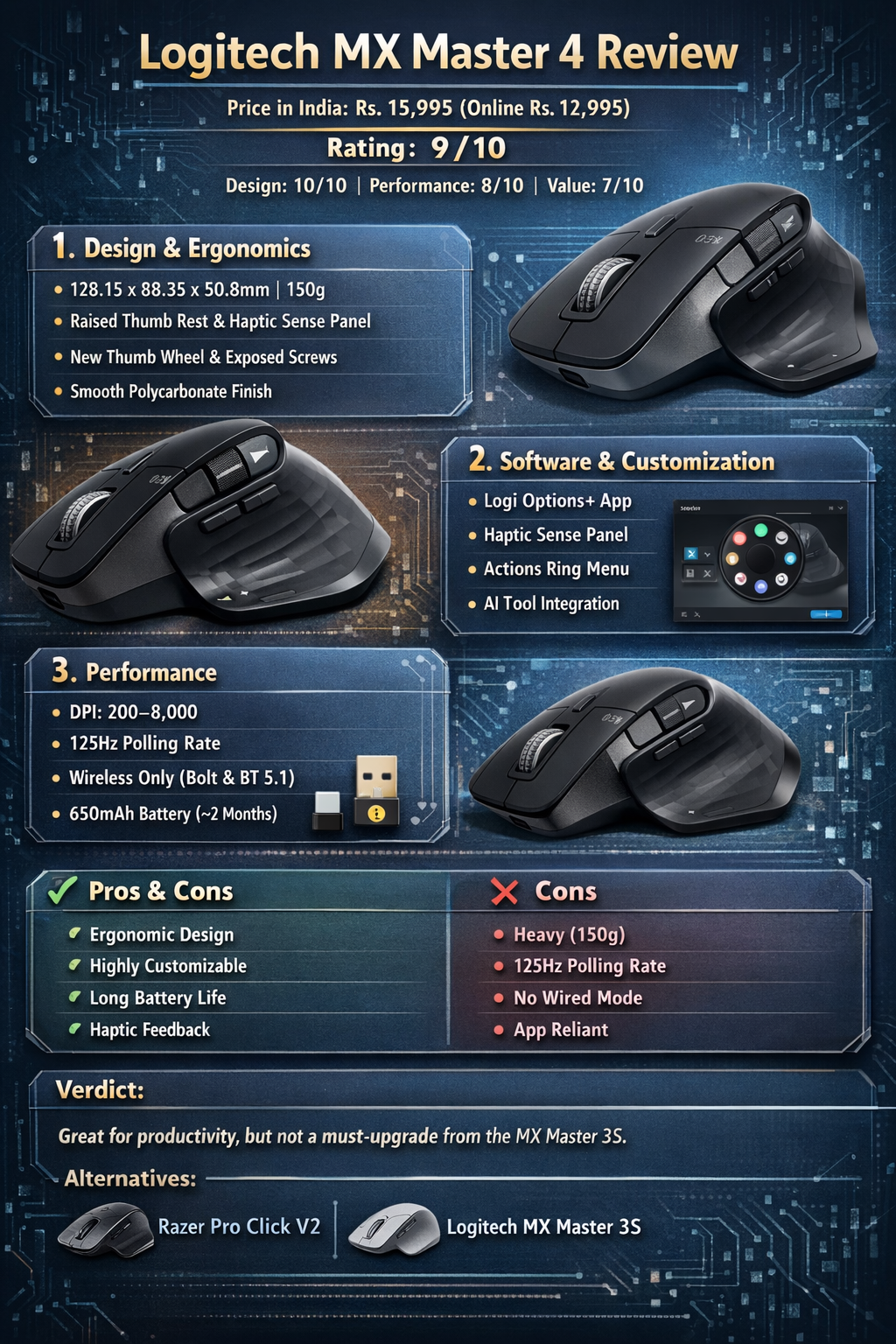
Logitech MX Master 4 – Detailed Review
Price in India: Rs. 15,995 (currently online Rs. 12,995)
Overall Rating: 9/10
- Design: 10/10
- Performance: 8/10
- Value for Money: 7/10
The MX Master 4 continues Logitech’s dominance in productivity-focused mice, offering ergonomic design, long battery life, and highly customizable features. While it introduces some new hardware like haptics, it doesn’t drastically change the core experience compared to the MX Master 3S.
1. Design & Ergonomics
Dimensions & Weight: 128.15 x 88.35 x 50.8mm | 150g | 8 buttons
Comfort & Grip:
- The mouse retains the familiar ergonomic, angular design from MX Master 3/3S.
- Supports a slightly tilted wrist position, reducing fatigue during long work sessions.
- Thumb support is raised slightly, making the Haptic Sense Panel easier to reach.
Button Layout:
- Gesture button moved ahead of the multi-function buttons below the thumb wheel—this may feel awkward initially, especially for larger hands.
- Thumb wheel moved outward, wider and more exposed for easier scrolling.
Materials Upgrades:
- Previous sticky rubber finish replaced with smooth translucent polycarbonate buttons and grooved plastic on top for grip.
- Soft rubber is limited to Haptic Sense Panel and right side, making handling easier and cleaner.
- Screws for battery access are now exposed—no need to remove mouse skates for maintenance.
Weight Consideration:
- The new haptic motor and larger battery add 25g, making the MX Master 4 noticeably heavier than the MX Master 3S (150g vs. 125g).
- Users accustomed to lighter mice like Razer Pro Click V2 may feel this extra weight.
Verdict on Design: Excellent ergonomics with sensible upgrades; minor adjustment needed for button layout and heavier feel.
2. Software & Customization
Companion App: Logi Options+
- Essential for customizing DPI, buttons, scrolling, and macros.
- Over-reliance on the app means mouse functions revert to defaults if the app fails.
Haptic Sense Panel & Actions Ring:
- Haptic Sense Panel: Large capacitive button that vibrates subtly when pressed.
- Actions Ring: Opens a customizable 8-option menu for tasks like desktop switching, audio muting, emoji insertion, or AI tool shortcuts.
- Works across Logitech Master devices, but MX Master 4 makes it more accessible due to haptic feedback.
- Can integrate with AI tools (ChatGPT, Perplexity, CoPilot, Gemini) via Logi AI Prompt Builder.
Pros:
- Speeds up frequent tasks with muscle memory.
- Subtle, tactile feedback makes navigation intuitive.
Cons:
- Not a necessity; older Master devices can enable Actions Ring without haptics.
- Entirely dependent on Logi Options+; no on-device profile storage.
3. Performance
Specifications:
- DPI: 200–8,000
- Polling rate: 125Hz
- Connectivity: Wireless only (Bolt USB-C receiver, Bluetooth 5.1)
- Battery: 650mAh (~2 months usage)
Observations:
- Tracking: Accurate on 5K monitors and Full-HD laptops.
- Scrolling: Main MagSpeed wheel quieter than MX Master 3S; thumb wheel improved but cannot flick-scroll like main wheel.
- Connectivity: Mostly stable; occasional Bolt receiver glitches observed even at short distances.
- Polling Rate: 125Hz feels sluggish compared to Razer Pro Click V2 (1,000Hz).
- Battery: Slightly larger battery accommodates haptics; disabling haptics improves longevity.
Limitations:
- No wired mode for reliability.
- Connectivity issues may occur with multiple wireless accessories.
- Polling rate and responsiveness are adequate for productivity, but not gaming.
4. Pros & Cons
Pros:
- Ergonomic and comfortable for long sessions
- Accurate tracking and quiet clicks
- Highly customizable buttons
- Long battery life (~2 months)
- New haptic feedback enhances everyday tasks
- Companion app provides extensive customization
Cons:
- Slightly heavy (150g)
- Low polling rate (125Hz)
- Relies heavily on Logi Options+
- No on-device profile storage
- No wired connectivity
5. Verdict
The MX Master 4 is an excellent productivity mouse with small but meaningful refinements over the 3S:
- Material upgrades for better grip and longevity
- Haptic Sense Panel + Actions Ring for quicker task execution
- Larger battery for haptic support
However:
- MX Master 3S users may not feel compelled to upgrade—polling rate, core connectivity, and fundamental design remain similar.
- Price premium of Rs. 3,000–6,000 may not justify incremental improvements.
Best for: Professionals who need comfort, long battery life, and highly customizable workflows.
Alternatives:
- Razer Pro Click V2 / V2 Vertical – lighter, higher polling rate, gaming-friendly
- MX Master 3S – more affordable, still very capable
If you want, I can also make a detailed table comparing MX Master 4, 3S, and Razer Pro Click V2, highlighting ergonomics, features, weight, software, and price—so you can instantly see the differences at a glance.