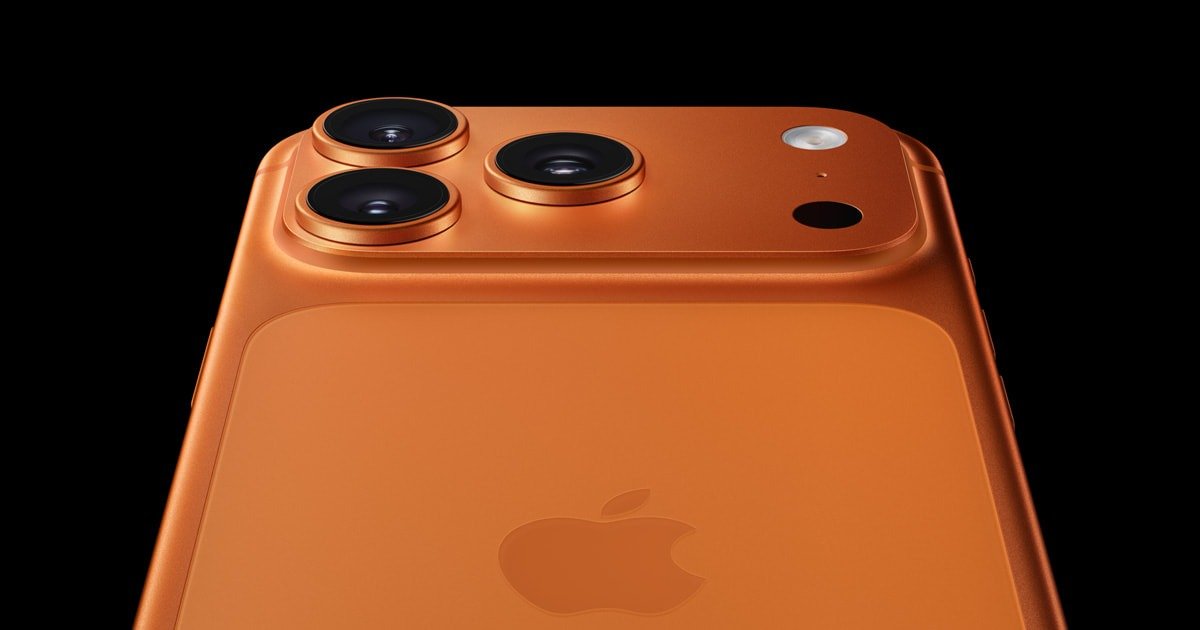
iPhone 17 Pro & Pro Max: Unlock the Best Camera Settings
By Al Landes
October 15, 2025 · 2 min read
Image Credit: Apple
Key Takeaways
- Configure the Camera Control Button for instant photo capture and aperture adjustment.
- Enable 24MP capture and ProRAW for maximum image quality.
- Record 4K/60fps video with Action Mode for smooth, professional footage.
The iPhone 17 Pro camera combines professional-grade hardware with AI-powered software controls, but to truly unlock its potential, you need to know which settings to adjust.
Camera Control Button: Quick Access & Pro-Level Control
The Camera Control Button is a pressure-sensitive physical shortcut that beats fumbling with the touchscreen when seconds matter.
- Single press: Launch the camera app.
- Second tap: Snap a photo instantly.
- Press-and-hold: Record video and access the aperture control wheel for adjusting background blur.
You can customize activation patterns in Settings > Camera > Camera Control Button. For example, double-press prevents accidental pocket launches while maintaining fast access.
Pro Tip: Long-press the button to leverage Visual Intelligence, which can:
- Identify objects.
- Create calendar events from posters.
- Translate text in real-time.
Essential Settings to Change Immediately
iPhone 17 Pro defaults are conservative, limiting photo quality out of the box:
- MP Settings: Enable 24MP capture for higher resolution photos (default is 12MP). This is crucial for cropping and printing.
- Photographic Styles:
- Balanced: Most flexible for editing.
- Rich Contrast: Instagram-ready look without post-processing.
- ProRAW: Enables professional-level editing, but files can reach 75MB each. Use ProRAW for serious photography; otherwise, HEIF is efficient for daily use.
Video Recording Optimization
Frame rates, resolution, and stabilization impact footage quality:
- Default: 4K/24fps works for cinematic content.
- Action sequences: Switch to 4K/60fps to capture fast movement (note larger file sizes and battery drain).
- Action Mode: Provides gimbal-like stabilization at 2.8K resolution, perfect for handheld or moving shots.
- HDR Video: Dolby Vision automatically enhances dynamic range.
- Lock Camera & White Balance: Prevents mid-shot changes that ruin professional-quality video.
Professional Integration & Storage
For broadcast-quality results:
- Blackmagic Camera App: Free app offering LOG recording and granular manual controls rivaling cinema cameras. Smaller ProRes files than Apple’s native implementation.
- Preserve Settings: Enable all options to maintain modes, exposure, and compensation between sessions.
- External Storage: USB-C allows direct recording to compatible drives for long 4K sessions.
💡 Pro Tip: Assign your Camera Control Button to launch Blackmagic instead of the default camera app for instant professional access.
Summary
The iPhone 17 Pro camera is capable of professional-grade photography and video—but only if you tweak the right settings:
- Set 24MP capture and enable ProRAW for photos.
- Optimize video with 4K/60fps and Action Mode.
- Customize the Camera Control Button for instant access and advanced shortcuts.
- Use external apps and storage for extended professional workflows.
With these tweaks, the iPhone 17 Pro & Pro Max can deliver studio-level results, far beyond the default settings Apple ships.